
Have you ever thought about starting a blog but stopped because you had no idea where to begin?
Maybe you have a topic you would love to write about.
Maybe you have been reading blogs for years and wondering how people actually build them.
Maybe you have heard about SEO, Pinterest, Google Search Console, Google Analytics and AdSense, but every time you try to understand how they all fit together, blogging starts to feel much more complicated than you expected.
Or perhaps you already started a blog.
You bought a domain, installed WordPress, published a few posts and then found yourself asking:
What do I write next?
How do I get people to find my blog?
How do I know if Google is seeing my website?
How do I use Pinterest to promote my blog?
How long does blogging take?
When can I apply for Google AdSense?
These are some of the questions that make starting a blog feel overwhelming.
But here’s something I learned from my own blogging journey:
You don’t have to know everything before you start.
You need a clear starting point, a practical system and a willingness to learn as you go.
That is exactly why I created From Zero to AdSense — Volume 1: The Beginner’s Blogging Roadmap + Starter Toolkit.
This guide was created for the person who wants to start a blog or has already started one but needs someone to break the process down into simple, manageable steps.
It isn’t a promise of overnight traffic.
It isn’t a guarantee of Google AdSense approval.
And it isn’t a get-rich-quick scheme.
It is a practical roadmap based on the lessons, mistakes, questions and discoveries that come with actually building a blog.
Why Is Starting a Blog So Overwhelming for Beginners?
Starting a blog sounds simple.
You might think:
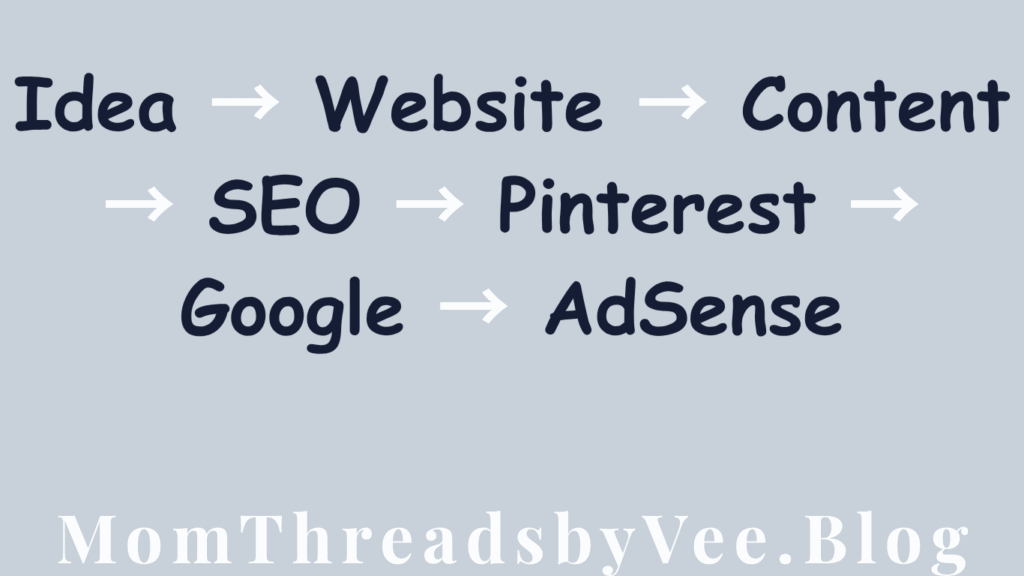
Choose a topic → create a website → write articles → get readers → make money.
But once you actually start, you quickly discover that there are many pieces involved.
You have to think about:
- What should my blog be about?
- Who am I writing for?
- What should I call my blog?
- Do I need WordPress?
- What is a domain?
- What is hosting?
- What should my first blog posts be?
- How do I find topics people are searching for?
- What is SEO?
- How does Google find my website?
- What is Google Search Console?
- What is Google Analytics?
- How does Pinterest work for bloggers?
- What makes a good blog post?
- How often should I publish?
- What does AdSense actually require?
- When should I apply for AdSense?
- What happens if Google doesn’t approve my site?
None of these questions is impossible.
The problem is that beginners are often trying to learn all of them at the same time.
That’s where having a roadmap can make a difference.
What Is Blogging, Really?
At its simplest, blogging is creating and publishing useful content on a website.
That content can answer questions, solve problems, teach something, provide inspiration, share experiences or help people make decisions.
For example, someone might search Google for:
- how to organize a small bedroom
- easy school lunch ideas
- how to start a blog
- beginner blogging tips
- how to create a content calendar
- Pinterest ideas for bloggers
- how to prepare a website for AdSense
Your blog can create useful content that answers those questions.
People can discover your articles through different channels, including search engines, Pinterest, social media, direct visits and links from other websites.
Over time, those visitors can become readers.
And depending on your business model, your blog can eventually support different forms of monetization.
Google AdSense is one possible monetization method, but it should not be the only reason you build a website.
Can You Start a Blog With No Blogging Experience?
Yes.
You do not need to be an experienced blogger before you start your first blog.
You also don’t need to understand every SEO concept, Google Analytics report or Pinterest feature on day one.
What you need is a willingness to learn.
When I started learning about blogging, there were many things I didn’t understand.
I had to learn about website management, content creation, SEO, Pinterest, Google Search Console, Google Analytics, traffic and monetization.
And that is one of the biggest lessons I want beginners to understand:
Learning while building is normal.
You don’t need to wait until you feel like an expert.
You can start with what you know and improve as you go.
Step 1: Decide What Your Blog Will Be About
One of the first questions to answer is:
What will my blog help people with?
You don’t necessarily need to find the “perfect niche.”
Instead, think about the intersection between:
What you know + what you enjoy + what people need + what you can consistently create content about.
For example, someone interested in home organization might create content around:
- home organization
- decluttering
- small-space organization
- cleaning routines
- storage ideas
- family organization
Someone interested in parenting might create content around:
- parenting tips
- children’s routines
- family organization
- kids’ activities
- school preparation
- motherhood
The goal is to give your blog a clear starting direction.
Your blog can evolve later.
Step 2: Choose a Blog Name and Domain
Your blog name becomes part of your online identity.
Try to choose something that is:
- Easy to remember
- Easy to spell
- Easy to pronounce
- Relevant to your brand
- Flexible enough to grow with you
Your domain is the web address people use to find your website.
For example:
yourblogname.com
You don’t need a complicated domain.
In fact, simplicity is often your friend.
Step 3: Build Your Website
Once you have your direction and domain, you need a website.
WordPress is one popular option for bloggers because it gives you a content management system where you can create posts, pages, categories, menus and other parts of your website.
But don’t make the mistake of believing that building a blog means creating a perfect website before publishing anything.
Your first website doesn’t have to be perfect.
It needs to be:
- Functional
- Easy to navigate
- Understandable
- Mobile-friendly
- Organized
- Useful to visitors
You can improve your design over time.
Step 4: Create Your Important Website Pages
Before becoming obsessed with publishing dozens of articles, make sure your website has the basic pages visitors may expect.
Depending on your website, these may include:
About Page
Tell readers who is behind the website, what the site is about and what visitors can expect.
Contact Page
Give readers an appropriate way to contact you.
Privacy Page
Explain how your website handles relevant visitor information.
Relevant Disclosures
Depending on your content and monetization methods, you may need additional disclosures.
These pages aren’t there simply because someone on the internet told you to create them.
They help establish a clearer, more functional website.
And when preparing for AdSense, Google recommends having unique, useful content and clear, easy-to-use navigation.
Step 5: Don’t Ask “What Should I Post Today?”
This is one of the biggest mistakes beginner bloggers can make.
Instead of waking up every morning and asking:
“What should I write about today?”
build a content system.
Start with a few content pillars.
A content pillar is a major topic your blog regularly covers.
For example, a parenting blog might have:
- Motherhood
- Parenting
- Kids’ activities
- Family organization
- Children’s lifestyle
You can then create multiple articles under each pillar.
This makes your blog easier to organize and gives you a much larger pool of content ideas.
Step 6: Learn How to Find Blog Topics People Actually Want
This is where blogging becomes more strategic.
You don’t want to spend hours writing articles that nobody is interested in reading.
One useful starting point is Google Trends.
Google Trends allows you to explore search interest over time and compare topics.
For example, if you’re deciding between two related topics, you can compare them and look at how interest changes.
You can also explore related searches and use those ideas to understand what people may want to know.
The goal isn’t to chase every trend.
Instead, ask:
Does this topic fit my audience?
Can I create something genuinely useful about it?
Is this a seasonal opportunity or an evergreen topic?
Could this become part of a larger group of related articles?
Step 7: Use Pinterest to Discover Blog Content Ideas
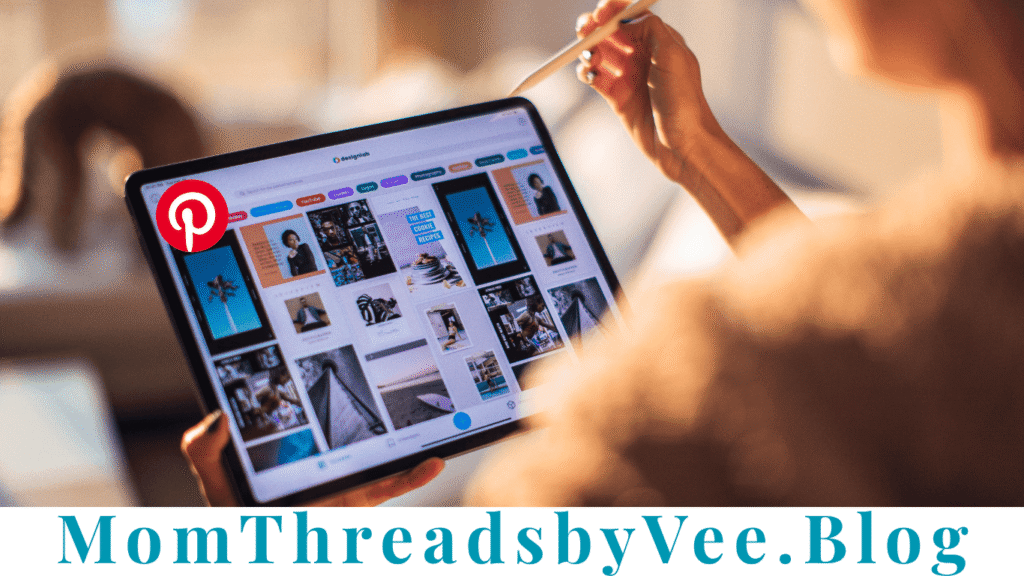
Pinterest can be useful for bloggers for more than simply sharing finished articles.
It can also help you understand what people are looking for and how they are exploring topics.
Think of the process like this:
Pinterest search → related ideas → recurring themes → audience questions → blog topics
For example, suppose your broad topic is:
Small bedroom ideas
You may discover related themes such as:
- small bedroom storage
- small bedroom organization
- small bedroom decor
- small bedroom layout
- budget small bedroom ideas
Suddenly, one broad topic has become several possible blog posts.
That is the beginning of a content cluster.
Pinterest itself describes its platform as a place where people search, save and discover ideas, making search and trend research useful considerations when planning content.
Step 8: Understand Content Clusters
A content cluster is simply a group of related articles connected around a broader topic.
Imagine your main topic is:
Starting a Blog
Supporting articles could include:
- How to choose a blog niche
- How to choose a blog name
- How to start a WordPress blog
- How to find blog post ideas
- Beginner SEO tips
- How to use Google Trends for blogging
- How to use Pinterest for bloggers
- How to understand Google Search Console
- How to prepare your blog for AdSense
Instead of creating random articles, you’re building a library of related resources.
You can then connect relevant articles through internal links.
This can make it easier for readers to discover related information on your website.
Step 9: Learn the Basics of SEO
You do not need to become an SEO expert before publishing your first article.
Start with the basics.
SEO, or search engine optimization, is the process of making your content easier for search engines and people to understand and discover.
For beginners, focus on:
Your title
Make it clear what the article is about.
Your headings
Use headings to organize the article.
Your topic
Know what question or problem the article is addressing.
Your URL
Keep your URL simple and relevant.
Internal links
Link to other useful, related articles on your website.
Image alt text
Describe relevant images appropriately for accessibility and context.
Helpful content
Most importantly, create something useful for the person who came to your page.
Don’t write an article simply because you found a keyword.
Write because you have something useful to say about the topic.
Step 10: Understand Search Intent
Before writing an article, ask:
What does someone actually want when they search this?
For example:
Someone searching:
“how to start a blog”
probably wants instructions.
Someone searching:
“best blog ideas for beginners”
may want inspiration.
Someone searching:
“Google Search Console impressions meaning”
probably wants an explanation.
Someone searching:
“blogging vs YouTube”
may be comparing options.
Understanding this is called search intent.
Your article should satisfy the reason behind the search.
Step 11: Use AI Carefully
AI tools can be useful during the blogging process.
You can use AI to help with:
- Brainstorming
- Outlining
- Expanding ideas
- Organizing information
- Editing
- Creating Pinterest descriptions
- Repurposing content
- Creating content planning systems
But don’t hand your entire website over to AI and publish everything without reviewing it.
You are responsible for what appears on your website.
Your experience, judgment, research, voice and original perspective are what can turn generic information into genuinely useful content.
Use AI as an assistant not as a substitute for thinking.
Step 12: Connect Google Search Console
Once your website is running, you need a way to understand how it is appearing in Google Search.
That’s where Google Search Console becomes useful.
It can help you understand things such as:
- Impressions
- Clicks
- CTR
- Average position
- Search queries
- Pages receiving search visibility
For a beginner, you don’t need to stare at your dashboard every day.
Look for patterns.
For example:
A post is getting impressions but very few clicks.
That might make you ask:
«Is my title clear enough?»
Or:
A page is suddenly appearing for several related searches.
That might make you ask:
«What other useful content could I create around this topic?»
Your data can become a source of content ideas.
Step 13: Use Google Analytics to Understand Your Visitors
Google Analytics can help you understand what is happening after people reach your website.
You can look at things such as:
- Users
- Sessions
- Traffic sources
- Popular pages
- Engagement
Again, don’t make this complicated.
The beginner question is simply:
What’s happening on my website?
You don’t need to become a data analyst.
You need enough information to make better decisions.
Step 14: Build a Realistic Content Calendar
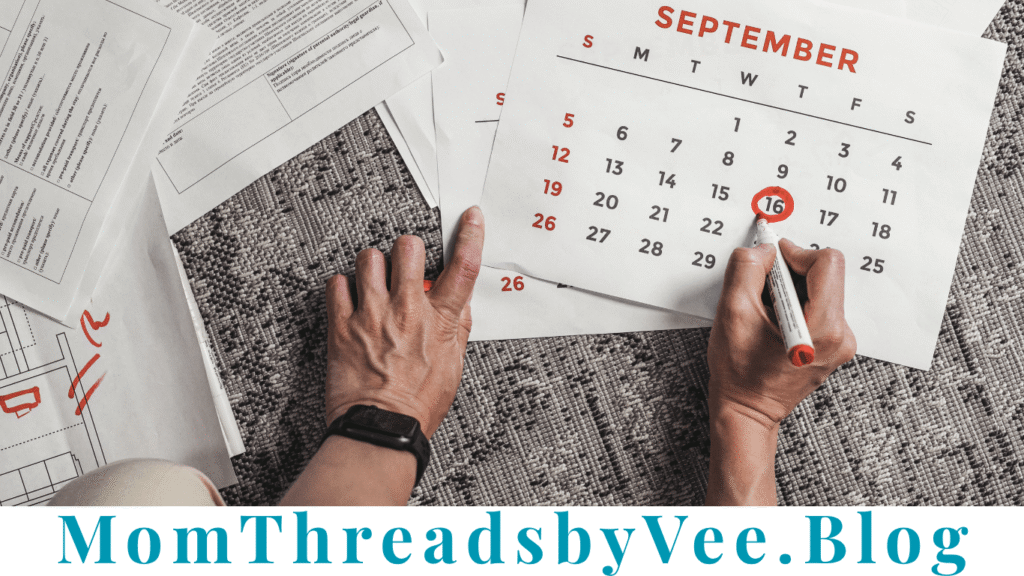
Consistency is easier when you know what you’re going to publish.
A content calendar can include:
Date| Topic| Content Pillar| Search Angle| Status
Week 1| Article idea| Pillar 1| Question| Draft
Week 1| Article idea| Pillar 2| How-to| Planned
Week 2| Article idea| Pillar 1| Problem| Planned
Week 3| Article idea| Pillar 3| Inspiration| Planned
Week 4| Article idea| Pillar 2| Search-focused| Planned
Your calendar doesn’t need to be complicated.
It simply needs to answer:
What am I creating next?
How Often Should You Blog?
There isn’t one universal publishing schedule that works for every blogger.
Someone working full-time may have only a few hours a week.
A student may have a different schedule.
A parent may have to work around family responsibilities.
Another person may have ten or more hours available.
Instead of copying someone else’s publishing schedule, create one you can realistically maintain.
A smaller schedule you can consistently follow is usually more practical than creating an ambitious schedule you abandon after two weeks.
How Long Does It Take for a Blog to Grow?
This is one of the most important questions beginners ask.
And the honest answer is:
It depends.
There is no universal blogging timeline.
Some articles may begin receiving visibility relatively quickly.
Others may take much longer.
Search traffic can fluctuate.
Pinterest visibility can fluctuate.
Your results will depend on many factors, including your content, topic, competition, website, audience, distribution and consistency.
That is why you should be careful with anyone promising:
“Start a blog today and make $1,000 next month.”
Blogging is not guaranteed income.
Build the website first.
Learn your audience.
Create useful content.
Study what happens.
Improve.
Keep going.
Can You Make Money From Blogging?
Yes, blogs can be monetized in different ways.
One option is advertising.
Another is affiliate marketing.
Other possibilities include:
- Digital products
- Services
- Sponsored content
- Memberships
- Courses
- Brand partnerships
- Other relevant business models
But monetization should not replace building something useful.
A website with no useful reason for people to visit will struggle regardless of how many monetization methods you add.
What Is Google AdSense?
Google AdSense is an advertising platform that allows publishers to display ads on their websites and potentially earn money when ads are served or interacted with according to Google’s systems and policies.
But there is an important distinction:
Starting a blog is not the same thing as being approved for AdSense.
Google says publishers need their own content that meets its requirements, and content should be high-quality, original and capable of attracting an audience. Google also requires compliance with its AdSense policies.
Google also does not state that you need a particular number of blog posts or a particular amount of traffic to guarantee approval.
So if someone tells you:
“Publish exactly 20 posts and Google will approve you.”
be cautious.
There is no magic number that guarantees approval.
How Do You Prepare a Blog for AdSense?
Instead of thinking:
“How quickly can I get approved?”
think:
“Have I built a useful, functional website that is ready to be reviewed?”
Before applying, review your:
Content
- Is it original?
- Is it useful?
- Is it written for readers?
- Does it provide enough substance?
- Is the information accurate?
- Have you avoided copied or misleading content?
Website
- Does it work properly?
- Is navigation clear?
- Does it work well on mobile?
- Are links working?
- Is the site organized?
Important pages
- About
- Contact
- Privacy
- Relevant disclosures
Google’s own AdSense guidance recommends unique and interesting content, clear navigation and a good user experience.
You should always check Google’s current official requirements and policies before applying because platform requirements can change.
What Happens When You Apply for AdSense?
The general process involves setting up your AdSense account, connecting your website and having Google review the site.
Google explains that it reviews the entire site for compliance with its policies. The review can take a few days and, in some cases, 2–4 weeks.
If your site isn’t approved, that doesn’t necessarily mean your blogging journey is over.
Read the reason provided by Google.
Understand the issue.
Make the relevant improvements.
Check the current requirements.
Then follow Google’s instructions for what to do next.
The important thing is not to treat one decision as a final judgment on your ability to become a blogger.
The Beginner Blogging Roadmap I Wish I Had From the Beginning
Looking back, I would have benefited from having everything organized into one simple roadmap.
Instead of jumping between random tutorials, videos, blog posts and social media advice, I would have wanted something that simply said:
Start here.
Then:
Do this next.
Then:
Here’s what to learn.
Then:
Here’s how to know whether it’s working.
Then:
Here’s how to prepare for the next stage.
That is the idea behind From Zero to AdSense — Volume 1.
Introducing From Zero to AdSense — Volume 1
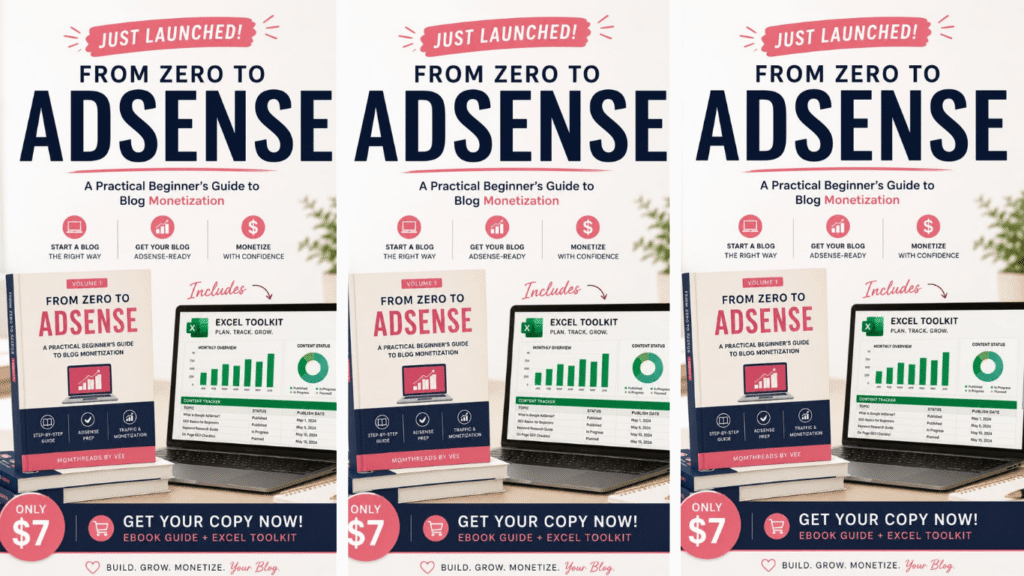
The Beginner’s Blogging Roadmap + Starter Toolkit
If you want to start a blog but don’t know where to begin, I created this guide to give you a clearer path.
From Zero to AdSense — Volume 1 is a practical beginner’s guide designed to take you from:
“I want to start a blog, but I don’t know what I’m doing.”
to:
“I understand the basic blogging system, I know what to work on next, and I have a roadmap I can actually follow.”
Inside the guide, we walk through the blogging journey step by step.
What’s Inside?
- Start With the Right Expectations
You’ll learn what blogging actually involves, what it doesn’t involve and what I learned from my own journey.
You’ll also get a realistic look at the tools I used and the things I would do differently if I were starting again.
- Decide Whether Blogging Is Right for You
Before investing months of your time, you should understand what blogging requires.
You’ll explore:
- What blogging actually is
- Common blogging misconceptions
- How long blogging can take
- How much time you may need
- What you actually need to start
- Build Your Blog Foundation
You’ll learn the basic path from:
Blog idea → blog name → domain → hosting → WordPress → website pages → Google tools → live website
This isn’t designed to be an overwhelming technical WordPress course.
It’s designed to help a beginner understand the process.
- Find Topics People Want to Read
You’ll learn how to use tools such as:
Google Trends
and
to research content opportunities.
You’ll learn how to turn:
Search interest → audience questions → content ideas → blog posts → Pinterest content
- Build a Content System
Instead of constantly asking:
“What should I post today?”
you’ll learn how to work with:
- Content pillars
- Supporting articles
- Content clusters
- Evergreen content
- Seasonal content
- Content calendars
You’ll also create a practical 30-day content plan.
- Turn Ideas Into Blog Posts
You’ll learn the basics of:
- Search intent
- Topic research
- Article outlines
- Writing for humans
- Basic on-page SEO
- Internal linking
- Image alt text
- AI-assisted blogging
And you’ll have a pre-publishing checklist to help you review your articles before they go live.
- Understand Your First Google Data
You’ll learn how to understand beginner-friendly Google Search Console metrics such as:
- Impressions
- Clicks
- CTR
- Average position
- Queries
- Pages
You’ll also learn the basics of Google Analytics so you can stop guessing and start paying attention to what your website data is telling you.
- Prepare Your Blog for AdSense
This is a major part of the guide.
You’ll learn how to review:
- Your content
- Website structure
- Navigation
- Mobile experience
- Important website pages
- Policies
- Overall readiness
The goal isn’t to promise approval.
The goal is to help you understand what it means to build a website responsibly and prepare it for an AdSense application.
- Understand the AdSense Application Process
You’ll get a beginner-friendly walkthrough of:
Preparing → setting up → connecting your site → submitting → waiting → reviewing the result → taking the next step
You’ll also learn what to do if your application isn’t approved.
- Follow a 90-Day Blogging Roadmap
Perhaps the most practical part of the guide is the final 90-day roadmap.
You’ll have a clearer idea of what to focus on during:
Days 1–30: BUILD
Days 31–60: PUBLISH + LEARN
Days 61–90: MEASURE + IMPROVE
Instead of trying to master everything immediately, you’ll have a sequence to follow.
And You Get 13 Practical Worksheets, Checklists, Planners & Trackers
The guide includes:
- My Blogging Journey Timeline
- Blogging Reality Check Worksheet
- My Blog Direction Worksheet
- Blog Launch Checklist
- Google Trends Topic Research Sheet
- Pinterest Content Research Sheet
- 30-Day Content Planner
- Blog Post Planning + Pre-Publishing Checklist
- Google Search Console Starter Tracker
- Monthly Blog Analytics Tracker
- AdSense Readiness Checklist
- AdSense Application Checklist
- My Personal 90-Day Blogging Plan
So this isn’t simply something you read and put away.
It is designed to be used while you build your blog.
You Don’t Need to Know Everything Before You Start
This is probably the biggest lesson I want another beginner to take away.
You don’t need to know everything.
You don’t need to understand advanced SEO on day one.
You don’t need to understand every Google Analytics report.
You don’t need to become a Pinterest expert before creating your first pin.
You don’t need to know everything about AdSense before writing your first blog post.
Start with the foundation.
Learn.
Publish.
Observe.
Improve.
Repeat.
Your first blog post probably won’t be your best blog post.
Your first Pinterest pin probably won’t be your best pin.
Your first content plan may change.
Your understanding of SEO will grow.
Your website will evolve.
That’s okay.
The goal isn’t to know everything before you start.
The goal is to start with enough knowledge to take the next step.
What I Wish Every Beginner Blogger Knew
Blogging can be rewarding, but it requires patience.
There will be days when your traffic is low.
There may be articles you worked hard on that don’t perform the way you expected.
You may discover that people are finding your website through search terms you never thought about.
You may change your content strategy.
You may learn something new and realize you would have done something differently.
That’s part of building.
Don’t compare your first few months with someone else’s fifth year.
Don’t build your entire strategy around someone else’s screenshots.
Don’t believe every income claim you see online.
And don’t make AdSense the only definition of success.
Build something useful.
Build something you’re proud to put your name behind.
Learn how your audience thinks.
Use your data.
Improve your content.
Keep learning.
And give yourself permission to be a beginner.
Ready to Start Your Blogging Journey?
If you’ve been saying:
“I want to start a blog, but I don’t know where to begin,”
this guide was created for you.
If you’ve already started a blog but feel like you’re jumping from one tutorial to another, it was created for you too.
From Zero to AdSense — Volume 1: The Beginner’s Blogging Roadmap + Starter Toolkit gives you a practical starting system for building your blog, finding content opportunities, creating a publishing plan, understanding your early data and preparing your website for AdSense.
You won’t finish the guide knowing everything about blogging.
And that’s intentional.
You’ll finish knowing what to do next.
START HERE:
From Zero to AdSense — Volume 1
The Beginner’s Blogging Roadmap + Starter Toolkit
A practical step-by-step guide to starting your blog, finding content people want, building a publishing system, understanding your early traffic and preparing for AdSense.
Launch price: $7
13 practical worksheets, checklists, planners and trackers included.
https://nestuge.com/fromzerotoadsensevolume1
Frequently Asked Questions About Starting a Blog
Start by choosing a clear direction for your blog, identifying the audience you want to help, choosing a blog name and domain, setting up your website, creating essential pages and developing your first content plan. You do not need to master every aspect of blogging before publishing your first article.
Choose a topic you can consistently create useful content around while considering what your intended audience needs and wants to know. Start with a clear direction and build several related content pillars around it.
You can research topics using tools and platforms such as Google Trends, Pinterest search and your own audience questions. Look for recurring problems, questions, seasonal interests and related searches.
Pinterest can be a useful discovery channel for blog content. Bloggers can use Pinterest search and trend information to discover topics, understand recurring interests and promote relevant articles. Pinterest describes itself as a platform where people search, save and discover ideas.
You don’t need advanced SEO knowledge to begin. Start with the basics: understand your topic, match your article to search intent, use clear titles and headings, create useful content, organize your website and connect related articles.
There is no guaranteed timeline. Search visibility and traffic vary from blog to blog, and individual articles can perform differently. Focus on consistently creating useful content and learning from your data rather than expecting a fixed result within a specific number of weeks or months.
Google does not provide a universal number of blog posts that guarantees AdSense approval. Instead, publishers should focus on meeting the current eligibility requirements and creating original, useful content while following AdSense policies.
There is no stated universal traffic threshold that guarantees approval. AdSense eligibility involves multiple requirements, including having your own content and complying with Google’s policies.
Review the reason provided by Google, address the relevant issues, review the current requirements and follow Google’s instructions before trying again. A rejection does not mean you have to abandon your blog.
Yes. AI can assist with brainstorming, outlining, organizing, editing and repurposing content. However, the blogger remains responsible for reviewing the information, adding original value and ensuring that the final content is accurate and useful.
Your Next Step
You don’t need a perfect plan.
You need a starting point.
You need a topic.
You need a website.
You need useful content.
You need a way to learn what your audience is looking for.
And you need a system that helps you keep moving.
Start where you are. Learn as you go. Build something useful.
And if you want a practical roadmap to guide you through those first steps, From Zero to AdSense — Volume 1 is where you can begin.
You May Also Like:
Time Management for Mom Entrepreneurs: How to Run a Business and Raise a Family Without Burning Out
Apprenticeships & Skills Over Degrees: Why It Works in Today’s Economy